
Tasks & Collaboration

RFIs That Actually Get Answered

Raise requests for information, assign them to the right people, and track responses — all tied to your project.
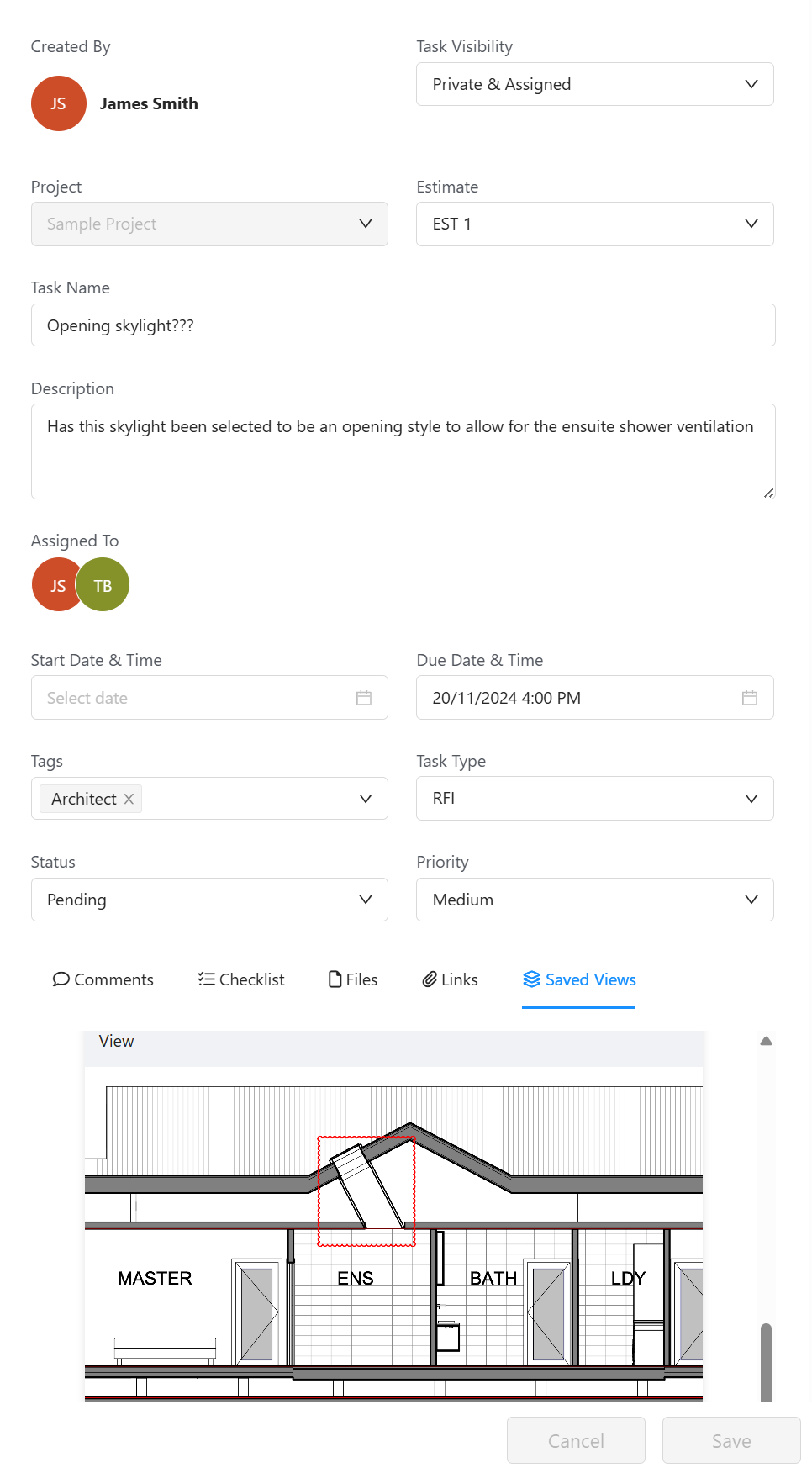
Core Estimator RFI management showing request tracking and responses

Requests

Raise RFIs With Full Context

  • Create RFIs Quickly — Raise a request in seconds with descriptions and attachments.
  • Attach Markups & Files — Include annotated plans, photos, or documents.
  • Reference Numbers — Every RFI gets a unique reference for easy tracking.

Tracking

Track Every RFI to Resolution

  • Status Tracking — Filter by open, in progress, or resolved.
  • Priority & Due Dates — Set priority and due dates so urgent requests get handled first.
  • Assignment & Notifications — Assign to the right person and they're notified automatically.

Communication

Keep the Conversation in One Place

  • Threaded Responses — All replies live on the RFI. Full Q&A history in one place.
  • Link to Plans & Models — Show exactly where the question applies on plans or models.
  • Audit Trail — Every action logged with timestamps for full traceability.
Google Reviews Rated 5.0 on Google
"Our business requires a very smart estimating package for detailed architectural homes, and Core Estimator delivers this in spades."

Mark Loader — Director, Bricon PTY LTD

"The software has helped me win jobs with better quote presentation, while also saving time and improving my estimating system."

Matt Petrou

Ready to streamline your RFI process?