
Financials

Labour on the Budget, Not in a Notebook

Record the hours your crew puts into each job at their cost and charge-out rates, so labour shows on the budget and, on cost plus jobs, goes straight onto the client's invoice.
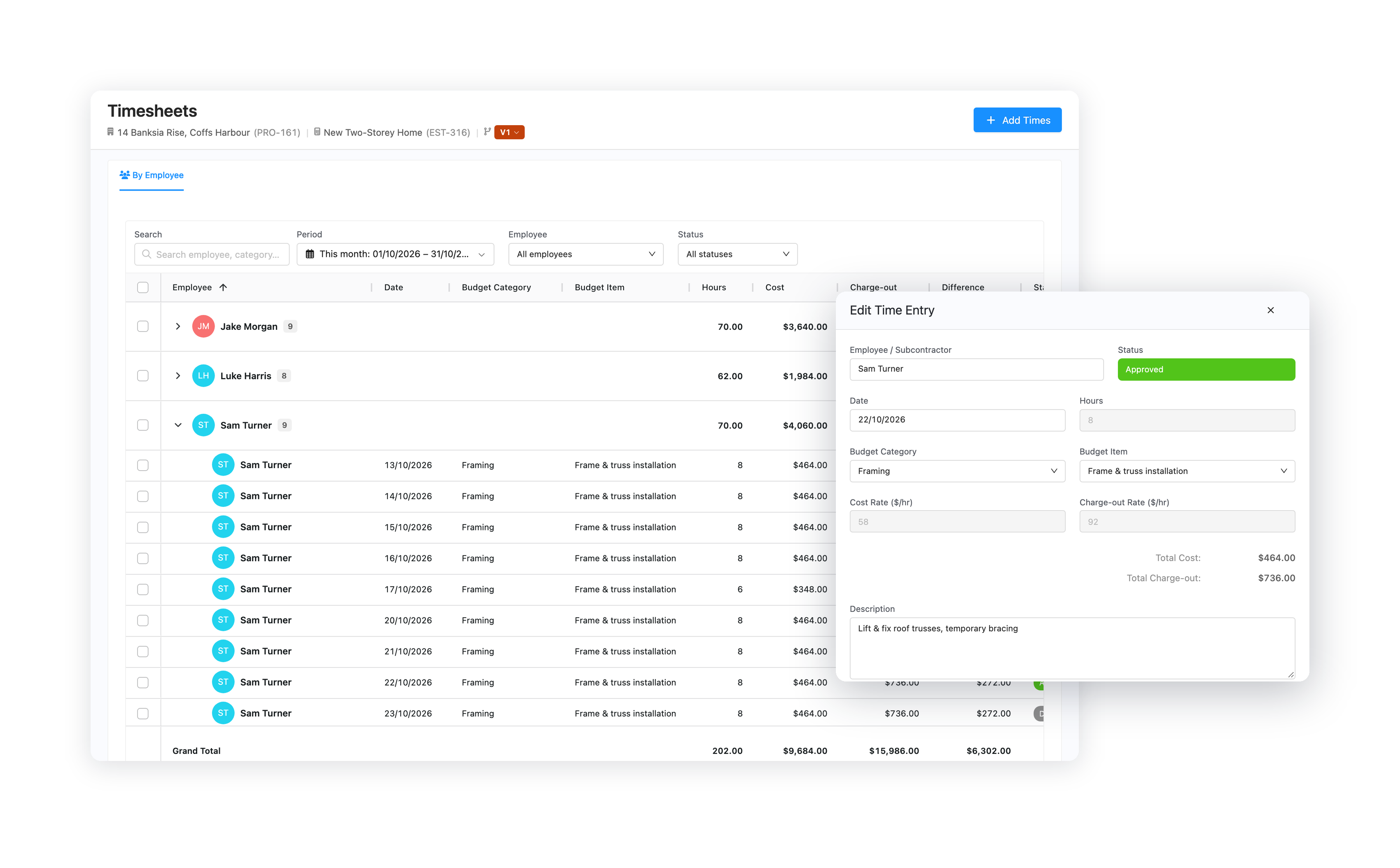
Core Estimator timesheets grouped by employee with hours, cost and charge-out

Enter

A Week of Hours in One Go

Add Times
Enter a whole week across your team in one grid.
Rates Filled In
Cost and charge-out rates come from each person's contact, with project rates where a job is different.
Booked to the Budget
Each entry lands on the budget line the work belongs to.

Approve

Approved Labour Counts

Bulk Approve
Approve a week, or a whole person, in one click.
Cost and Margin
See cost, charge-out and the difference on every entry.
Locked Once Approved
Approved hours can't change without going back to draft.

Cost Plus

Bill Labour to the Client

Ready to Invoice
Approved labour that hasn't been billed adds to your ready-to-invoice total.
Add to Invoice
Labour goes on the invoice at each person's charge-out rate.
Hours Behind It
Send a summary of the hours with the invoice.
Google Reviews Rated 5.0 on Google
"Our business requires a very smart estimating package for detailed architectural homes, and Core Estimator delivers this in spades."

Mark Loader — Director, Bricon PTY LTD

"The software has helped me win jobs with better quote presentation, while also saving time and improving my estimating system."

Matt Petrou

Ready to see what your labour really costs?